Gaming gear is an investment that transforms gaming from a simple hobby into an immersive experience. However, neglecting maintenance can turn your reliable equipment into a source of frustration. Dust and grime don’t just affect the appearance of your consoles, PCs, and peripherals—they can also degrade performance and shorten their lifespan.
This comprehensive guide will show you how to care for your gaming equipment, including wireless controllers, keyboards, gaming mice, and headsets. With regular cleaning and maintenance, your gear will last longer, perform better, and stay hygienic.
1. Cleaning Your Console or Gaming PC
Why Maintenance Matters
Dust is the silent enemy of electronics. It builds up in vents and crevices, restricting airflow and causing overheating. This can lead to reduced performance, sudden shutdowns, or even permanent damage to internal components. Regular cleaning not only prevents these issues but also keeps your gaming setup looking fresh.
Essential Tools
- Soft, lint-free cloth
- Canned air
- Isopropyl alcohol (70% or higher)
- Soft brushes
Steps to Clean Your Console or Gaming PC
- Turn It Off and Unplug: Always ensure your device is powered down and disconnected from any power source before cleaning.
- Start with the Exterior: Wipe down the surfaces with a slightly damp lint-free cloth to remove smudges and dirt. Avoid letting moisture seep into any openings.
- Remove Dust from Vents and Crevices: Use canned air to blow out dust from vents and ports. Hold the can upright to prevent liquid spray. Perform this step in a well-ventilated area or outdoors.
- Deep Cleaning for PCs: Open the side panels of your PC case to access the interior components. Use a combination of canned air and a soft brush to remove dust from the fans, graphics card, CPU cooler, and other components.
- Clean Stubborn Grime: Dampen a microfiber cloth with isopropyl alcohol and gently wipe away sticky residue or stubborn dirt. Alcohol evaporates quickly, making it safe for electronics.
Pro Tips:
- Use a vacuum cleaner near vents to collect dislodged dust, but never use it inside the device to avoid static damage.
- Perform this cleaning routine every two to three months for optimal results.
2. Maintaining and Sanitizing Wireless Controllers and Keyboards
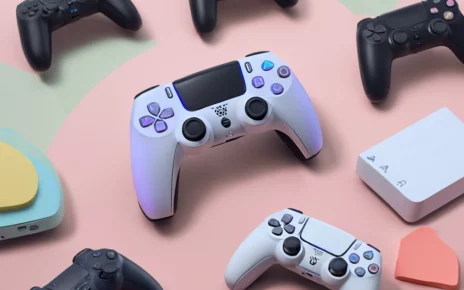
Wireless controllers and keyboards are the workhorses of any gaming setup. They endure hours of gameplay, collecting sweat, oils, and germs over time. Regular cleaning ensures optimal performance and prevents grime from building up.
Cleaning Wireless Controllers
Modern wireless controllers are equipped with rechargeable batteries, so maintaining their charging ports is crucial for seamless connectivity.
- Power Off the Controller: Turn off the controller before cleaning.
- Wipe the Exterior: Use a microfiber cloth lightly dampened with a mild soap solution to clean the surfaces. Pay extra attention to high-contact areas like buttons, joysticks, and triggers.
- Clean Crevices: Use a toothpick, toothbrush, or soft brush to remove dirt trapped between buttons and in tiny gaps.
- Sanitize with Alcohol: Dampen a cotton swab or microfiber cloth with isopropyl alcohol and gently clean the surface. This step not only removes germs but also evaporates quickly, leaving no residue.
Maintaining Rechargeable Ports
Dirty charging ports can disrupt the charging process. Use a dry brush or cotton swab dipped in alcohol to clean these ports regularly, ensuring reliable connections.
Cleaning Your Keyboard
Whether you’re using a wireless or mechanical keyboard, cleanliness is vital for both aesthetics and functionality.
- Disconnect the Keyboard: Unplug or turn off your keyboard.
- Shake Out Debris: Hold the keyboard upside down and gently shake to dislodge crumbs or loose dirt.
- Blow Out Dust: Use canned air to clean between the keys.
- Deep Cleaning (Optional): For mechanical keyboards, remove the keycaps using a puller tool. Wash them with a mild soap solution, rinse, and allow them to dry completely before reattaching.
- Wipe the Base: Use a damp microfiber cloth to clean the keyboard’s base. Avoid letting moisture seep into the electronics.
3. Extending the Life of Your Gaming Mouse
Your gaming mouse is critical for precision and responsiveness during gameplay. Taking care of it ensures smooth operation and extends its lifespan.
Steps to Maintain Your Mouse
- Clean the Exterior: Unplug the mouse and use a microfiber cloth to wipe away oils and dirt.
- Focus on the Sensor: Use a dry toothbrush or canned air to clean the sensor area. Dust in this area can affect accuracy.
- Protect the Cable: If your mouse is wired, avoid bending or twisting the cable. Use cable ties or mouse bungees for better management.
- Wireless Maintenance: For wireless mice, clean the charging contacts with isopropyl alcohol to ensure efficient charging and connectivity.
Pro Tip: Always use a mouse pad to protect the feet of your mouse and maintain precision. A clean mouse pad also prevents dust transfer.
4. Caring for Gaming Headsets and Audio Gear
Gaming headsets are essential for immersive gameplay but are prone to accumulating sweat, oils, and dirt. Regular care ensures they stay comfortable and perform well.
Cleaning Your Headset
- Focus on Ear Cushions: Detachable ear cushions can be cleaned with a soapy water solution. Rinse thoroughly and let them air dry completely before reattaching.
- Clean Non-Removable Cushions: Use a slightly damp cloth to wipe down non-removable cushions.
- Maintain the Headband: Wipe the headband with a microfiber cloth. For leather or leatherette materials, apply a conditioner to prevent cracks and wear.
- Sanitize the Microphone: Gently clean the microphone with a microfiber cloth. If detachable, clean it separately for a thorough sanitization.
Protecting Cables and Wireless Components
- Use spiral wraps or sleeves to prevent cable wear and tangles.
- For wireless headsets, keep charging ports dust-free by cleaning them with a dry brush or alcohol swab.
5. Building a Regular Maintenance Routine
Consistency is the key to keeping your gaming gear in peak condition. Create a routine to prevent issues from developing and keep your equipment looking and performing like new.
Suggested Monthly Checklist
- Dust and clean your console or gaming PC.
- Sanitize wireless controllers and keyboards.
- Inspect and clean your gaming mouse.
- Freshen up headset cushions and cables.
Benefits of Regular Maintenance
- Enhanced Performance: Regular cleaning ensures smooth gameplay and reliable performance.
- Increased Longevity: Proactive care extends the lifespan of your devices, saving you money on replacements.
- Improved Hygiene: Clean gear is not only visually appealing but also more comfortable and healthier to use.
Conclusion
Taking care of your gaming equipment is more than just a chore—it’s an investment in your gaming experience. Clean consoles, responsive controllers, precise mice, and clear headsets elevate your performance and immersion.
By dedicating a few minutes each month to maintaining your gear, you can ensure your setup remains reliable, hygienic, and ready for action. Start your routine today, and enjoy the rewards of smoother, more immersive gaming sessions tomorrow!